

Introduction
When I first considered building a website, I was overwhelmed by the range of costs involved. From freelancers to agencies, DIY platforms to custom designs, the pricing seemed as varied as the options themselves. Understanding what influences these costs is crucial to setting a realistic budget. Whether you’re a small business owner or a budding entrepreneur, knowing what to expect can save you time, money, and frustration.
Key Takeaways
- Website complexity and features significantly impact development costs.
- DIY platforms are cheaper but may lack customisation and scalability.
- Freelancers offer affordability, while agencies provide comprehensive solutions.
- Mobile responsiveness and SEO are non-negotiable for modern websites.
- Ongoing maintenance and hidden costs should factor into your budget.
Understanding Website Development Costs
What Factors Influence Website Development Costs
The cost of building a website depends on multiple factors, including design complexity, functionality, and the expertise of the developer. A basic informational site will cost far less than an e-commerce platform with advanced features. Additionally, the choice between a freelancer and an agency can drastically alter your budget. Understanding these variables helps you make informed decisions.
The Role of Website Complexity in Pricing
Simple websites with static pages are affordable, but dynamic sites with interactive elements demand higher investment. Features like user logins, payment gateways, or custom animations add layers of complexity. Each layer translates to more development time and higher costs. Balancing your needs with your budget is key to avoiding overspending.
Comparing DIY vs Professional Development Costs
DIY platforms like Wix or Squarespace are cost-effective but limit creativity and scalability. Professional development, though pricier, offers tailored solutions and long-term support. For businesses serious about growth, investing in a professional web design ensures a robust online presence. Weighing the pros and cons of each approach helps you choose the right path.
Types of Websites and Their Cost Implications
Cost to Build a Basic Informational Website
A basic informational website, often the starting point for small businesses, typically costs between £500 and £2,000. This range covers essential features like a homepage, about page, contact form, and a few service pages. If you opt for a cheap web design service, you might save upfront, but ensure it doesn’t compromise quality. Templates can reduce costs, but customisation may add to the final bill.
For those on a tight budget, platforms like WordPress offer affordable solutions, but hiring a professional ensures a polished result. Remember, a well-designed website reflects your brand’s credibility. Investing in a website designer can pay off in the long run by avoiding costly redesigns.
Pricing for Business and Corporate Websites
Business and corporate websites, requiring more functionality and branding, usually range from £2,000 to £10,000. These sites often include advanced features like client portals, team pages, and case studies. The cost depends on the complexity of the design and the level of customisation needed. A web design agency can provide a tailored solution, ensuring your site stands out.
Corporate sites also demand robust security and scalability, which can increase costs. However, these investments are crucial for maintaining professionalism and trust. A well-built site can streamline operations and enhance customer engagement, justifying the higher price tag.
E-commerce Website Development Costs
E-commerce websites, with their added complexity, typically cost between £5,000 and £30,000. Features like product listings, payment gateways, and inventory management drive up the price. Platforms like Shopify or WooCommerce offer cost-effective solutions, but custom development ensures a seamless user experience. For more details, check out this external resource on e-commerce pricing.
Scaling an e-commerce site also involves ongoing costs, such as hosting and maintenance. Prioritising essential features and phasing in advanced options can help manage expenses. A well-planned e-commerce site can significantly boost sales, making it a worthwhile investment.
Choosing Between Freelancers and Agencies
Pros and Cons of Hiring a Freelancer
Freelancers often offer lower rates, making them attractive for budget-conscious projects. They provide flexibility and personalised attention, which can be ideal for smaller websites. However, their availability and expertise may vary, and you might need to manage multiple freelancers for different tasks. A freelance web designer can be a cost-effective choice if you find the right fit.
On the downside, freelancers may lack the resources of an agency, potentially leading to delays. Clear communication and defined milestones are essential to ensure the project stays on track. For complex projects, an agency might be a safer bet.
Benefits of Working with a Web Development Agency
Agencies bring a team of specialists, ensuring a comprehensive approach to your project. They handle everything from design to development, offering a one-stop solution. While their rates are higher, the reliability and expertise they provide can save time and reduce stress. Agencies also offer ongoing support, which is invaluable for long-term maintenance.
Working with an agency ensures access to the latest technologies and best practices. Their structured processes minimise risks, making them ideal for larger or more complex projects. The investment often pays off in the form of a polished, professional website.
How to Decide Which Option is Best for You
Your choice depends on budget, project scope, and timeline. Freelancers suit smaller projects with limited budgets, while agencies are better for complex, high-stakes websites. Consider your long-term needs—freelancers may lack scalability, whereas agencies can grow with your business.
Evaluate portfolios and client testimonials to gauge reliability. Whether you choose a freelancer or an agency, ensure they understand your vision and goals. A well-matched partnership is key to a successful website.

Essential Features and Their Impact on Cost
Must-Have Features for Any Website
Every website needs a responsive design, fast loading times, and intuitive navigation. These basics ensure a positive user experience and are non-negotiable. Additional essentials include contact forms, SEO optimisation, and mobile compatibility. While these features add to the cost, they are critical for functionality and visibility.
Investing in these elements upfront can save money in the long run by reducing bounce rates and improving conversions. A well-optimised site also ranks higher on search engines, driving organic traffic. Prioritise these features to build a solid foundation.
Advanced Features That Increase Development Costs
Advanced features like custom animations, membership portals, or AI chatbots can significantly increase costs. These elements enhance user engagement but require specialised skills and more development time. While they add value, weigh their necessity against your budget and goals.
Consider phasing in advanced features post-launch to spread out costs. This approach allows you to test their impact before committing to a full-scale implementation. Always align features with your audience’s needs to maximise ROI.
How to Prioritize Features Based on Budget
Start by listing must-have features and then identify nice-to-haves. Allocate your budget to essentials first, ensuring a functional site. For example, prioritise mobile responsiveness over decorative animations. A phased approach allows you to add features as your budget allows.
Consult with your developer to understand cost implications. They can suggest cost-effective alternatives without compromising quality. A strategic prioritisation ensures you get the most value from your investment.
The Importance of Design in Website Pricing
Custom Design vs Template Cost Differences
When it comes to website design, the choice between custom and template-based solutions significantly impacts costs. Custom designs, tailored to your brand, often come with a higher price tag due to the time and expertise required. Templates, on the other hand, are more affordable but may lack uniqueness. We recommend weighing the long-term benefits of a custom design against the immediate savings of a template.
For businesses aiming to stand out, investing in a custom design can pay off. Templates might save money upfront, but they often require additional tweaks to align with your brand, which can add to the overall cost. It’s about finding the right balance for your budget and goals.
How Design Complexity Affects Your Budget
Design complexity directly influences development costs. Simple, minimalist designs are quicker to implement and cheaper, while intricate layouts with animations or interactive elements demand more resources. We’ve found that clients often underestimate how small details, like custom icons or parallax scrolling, can escalate expenses.
To manage costs, prioritise essential design elements and phase in advanced features. For example, a responsive design is non-negotiable, but elaborate animations can wait. Clear communication with your designer ensures you stay within budget without compromising quality.
Saving Costs Without Sacrificing Design Quality
Cutting costs doesn’t mean settling for a subpar design. Opt for modular designs where components can be reused or repurposed. This approach reduces development time and costs while maintaining a cohesive look. We also suggest leveraging open-source tools and libraries to achieve professional results affordably.
Another cost-saving strategy is to focus on a strong visual hierarchy. By guiding users’ attention to key areas, you can simplify the design without losing impact. Remember, a well-planned design not only looks good but also enhances usability, making it a worthwhile investment.
Content Management Systems (CMS) and Costs
Popular CMS Options and Their Pricing
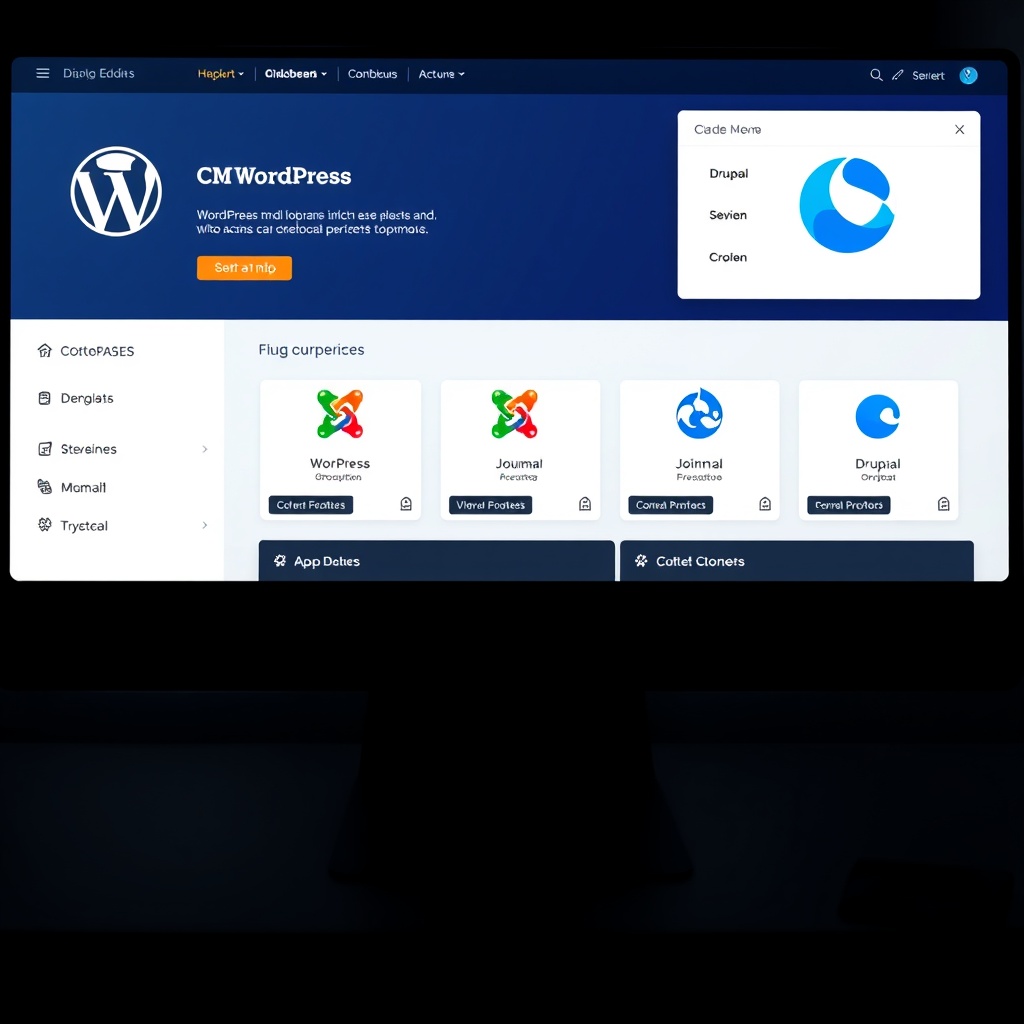
Choosing the right CMS is crucial for managing your website efficiently. Popular options like WordPress, Joomla, and Drupal offer varying pricing structures. WordPress, for instance, is free but may require paid plugins or themes. Joomla and Drupal are also free but often need developer expertise, adding to costs.
We recommend WordPress for its flexibility and user-friendly interface. It’s ideal for businesses that want to manage content without technical hurdles. However, if your site requires complex functionality, a custom CMS might be worth the investment despite the higher initial cost.
The Cost of Custom CMS Development
Custom CMS solutions are tailored to your specific needs, offering unparalleled control and scalability. However, they come with a hefty price tag due to the extensive development and testing required. We’ve seen custom CMS projects range from £5,000 to £50,000, depending on complexity.
Before committing, assess whether a custom CMS is necessary. For most businesses, off-the-shelf solutions like WordPress or Shopify suffice. But if you have unique requirements, a custom CMS can streamline operations and improve efficiency in the long run.
How CMS Choice Affects Long-Term Expenses
Your CMS choice impacts not just initial costs but also ongoing expenses. Open-source platforms like WordPress have lower upfront costs but may require regular updates and security patches. Proprietary systems often include support but come with licensing fees.
We advise considering the total cost of ownership. For example, a WordPress site might need occasional maintenance, but its affordability and flexibility make it a popular choice. Evaluate your budget and long-term goals to make an informed decision.
E-commerce Functionality and Additional Costs
Basic vs Advanced E-commerce Features
E-commerce websites vary widely in cost based on functionality. Basic features like product listings and a shopping cart are relatively affordable. Advanced features, such as multi-currency support or AI-driven recommendations, can significantly increase expenses.
We suggest starting with essential features and scaling up as your business grows. For instance, a basic e-commerce setup can be cost-effective while still providing a seamless shopping experience. Prioritise features that align with your customers’ needs and your budget.
Payment Gateway Integration Costs
Integrating payment gateways is a critical but often overlooked expense. Popular options like PayPal or Stripe charge transaction fees, while custom solutions may require development work. We’ve found that businesses should budget for both setup and ongoing fees.
To minimise costs, compare gateway providers and negotiate rates. Some platforms, like Shopify, include built-in payment processing, simplifying the process. Always factor in these costs when planning your e-commerce budget.
Ongoing Costs of Running an E-commerce Site
Running an e-commerce site involves recurring expenses, such as hosting, security, and marketing. Regular updates and customer support also add to the total cost. We recommend setting aside a monthly budget for these necessities to ensure smooth operations.
Investing in tools like automated inventory management can reduce long-term costs. By streamlining processes, you can focus on growth while keeping expenses manageable. Remember, a well-maintained e-commerce site is key to retaining customers and driving sales.
Mobile Responsiveness and Development Costs
Why Mobile Responsiveness is Non-Negotiable
With over half of web traffic coming from mobile devices, a responsive design is essential. A mobile-friendly site improves user experience and boosts SEO rankings. We’ve seen businesses lose customers due to poor mobile performance, making this a critical investment.
Ensuring your site adapts to all screen sizes doesn’t have to break the bank. Many modern frameworks, like Bootstrap, simplify responsive design. Prioritise this feature to avoid costly redesigns later.
Cost Implications of Responsive Design
Responsive design typically adds 20-30% to development costs, depending on complexity. However, the long-term benefits outweigh the expense. A single responsive site eliminates the need for separate mobile and desktop versions, saving money in the long run.
We advise working with developers who specialise in responsive design. Their expertise can reduce unnecessary costs and ensure a seamless experience across devices. Investing in quality upfront prevents headaches down the line.
Testing and Optimization for Mobile Devices
Testing your site on various devices is crucial for identifying issues. Tools like Google’s Mobile-Friendly Test can help, but manual testing ensures accuracy. We recommend allocating a portion of your budget for thorough testing and optimization.
Optimising images and leveraging caching can improve mobile performance without significant costs. By addressing these details early, you can enhance user satisfaction and reduce bounce rates. A well-optimised mobile site is a competitive advantage.
SEO Considerations in Website Development
Basic SEO Features and Their Cost
When building a website, basic SEO features like keyword optimisation, meta tags, and mobile responsiveness are essential. These elements typically cost between £500 and £1,500, depending on the complexity. Investing in these foundational aspects ensures your site ranks well from the start. For more insights, check out our guide on SEO basics.
Basic SEO also includes creating a sitemap and optimising images, which are often overlooked. These tasks are relatively inexpensive but crucial for search engine visibility. A well-optimised site attracts organic traffic, reducing long-term marketing costs. Balancing these features within your budget is key to a successful launch.
Advanced SEO Strategies and Pricing
Advanced SEO, such as content marketing and backlink building, can significantly boost your site’s performance. These services range from £1,500 to £5,000 monthly, depending on the agency or freelancer. For a deeper dive, explore this authoritative guide on SEO costs.
Technical SEO audits and schema markup are other advanced options. These require expertise and can cost upwards of £2,000. While pricier, they offer long-term benefits like higher rankings and increased credibility. Prioritising these strategies depends on your business goals and budget constraints.
The Long-Term Value of SEO in Your Budget
SEO isn’t a one-time expense but an ongoing investment. Regular updates and monitoring can cost £500 to £2,000 monthly. However, the return on investment is substantial, as organic traffic reduces reliance on paid ads. Learn more about optimising your website for sustained success.
Neglecting SEO can lead to declining rankings and lost opportunities. Allocating a portion of your budget to SEO ensures your site remains competitive. Over time, the cumulative benefits outweigh the initial costs, making it a wise financial decision for any business.
Security Features and Their Cost Impact
Essential Security Measures for Every Website
Basic security measures like SSL certificates and firewalls are non-negotiable. These typically cost between £100 and £500 annually. They protect user data and build trust with visitors. For more details, visit our page on website security costs.
Regular software updates and secure hosting are also critical. These measures prevent vulnerabilities and ensure smooth operation. While they add to your budget, the cost of a security breach far outweighs these expenses. Prioritising security safeguards your reputation and customer trust.
Advanced Security Options and Their Costs
Advanced options like penetration testing and DDoS protection can cost £1,000 to £5,000 annually. These are essential for high-traffic or e-commerce sites handling sensitive data. Investing in robust security prevents costly downtime and data breaches.
Multi-factor authentication and encrypted databases are other premium features. These add layers of protection but come at a higher price. Evaluating your site’s risk level helps determine which advanced measures are necessary for your budget.
Balancing Security Needs with Budget Constraints
Not every site requires top-tier security, but cutting corners is risky. Assess your needs based on traffic and data sensitivity. A balanced approach ensures adequate protection without overspending. For tailored advice, explore our web design services.
Regular audits and staff training can also enhance security affordably. These proactive steps minimise risks while keeping costs manageable. Striking this balance is crucial for long-term sustainability and peace of mind.
Maintenance and Upkeep Costs
Regular Maintenance Tasks and Their Costs
Routine updates, backups, and performance checks are essential. These tasks cost £50 to £200 monthly, depending on the provider. Regular maintenance prevents issues before they escalate, saving money in the long run.
Content updates and plugin management are also part of upkeep. These ensure your site remains relevant and functional. While often overlooked, these tasks are vital for maintaining user engagement and SEO rankings.
The Price of Neglecting Website Maintenance
Skipping maintenance can lead to broken links, outdated content, and security vulnerabilities. Fixing these issues later can cost hundreds or even thousands. Proactive care is far more cost-effective than reactive repairs.
Downtime and lost traffic are other consequences of neglect. These can harm your brand’s reputation and revenue. Investing in regular upkeep is a small price to pay for uninterrupted operation.
How to Budget for Ongoing Website Upkeep
Allocate 10-20% of your initial development budget for annual maintenance. This covers updates, hosting, and minor fixes. Planning ahead ensures your site remains functional and secure without unexpected expenses.
Consider maintenance packages from your developer or hosting provider. These often offer cost savings and peace of mind. A well-maintained site delivers consistent performance and maximises your investment.
Hidden Costs in Website Development
Common Unexpected Expenses
Hidden costs often arise from domain renewals, premium plugins, or additional features. These can add £200 to £1,000 to your budget. Being aware of these potential expenses helps avoid surprises.
Third-party integrations and custom designs are other common culprits. These enhance functionality but come at a price. Discussing these options upfront with your developer ensures transparency.
How to Identify and Avoid Hidden Fees
Request a detailed quote outlining all potential costs. This includes hosting, plugins, and future updates. Clarifying these details upfront prevents misunderstandings and budget overruns.
Researching providers and reading contracts carefully also helps. Look for hidden clauses or automatic renewals. A thorough review ensures you’re only paying for what you need.
Planning for Contingencies in Your Budget
Set aside 10-15% of your budget for unforeseen expenses. This buffer covers unexpected costs without derailing your project. Flexibility is key to managing development smoothly.
Regular communication with your developer also minimises surprises. Addressing issues early prevents costly fixes later. A well-planned budget accounts for both expected and hidden costs.
How to Get Accurate Website Development Quotes
Preparing for a Consultation with Developers
Before meeting with developers, I gather all necessary details about my project. This includes the website’s purpose, target audience, and desired features. I also research industry standards to understand typical costs. Having a clear brief ensures developers can provide accurate quotes. I prioritise transparency to avoid surprises later. A well-prepared consultation saves time and helps me compare offers effectively.
Key Questions to Ask Potential Developers
I always ask about their experience with similar projects and request portfolios. Understanding their pricing structure is crucial—whether it’s fixed or hourly. I inquire about timelines, revisions, and post-launch support. Clarifying these details helps me gauge reliability. Asking for references also provides insights into their work ethic. These questions ensure I choose a developer aligned with my needs.
Comparing Quotes to Find the Best Value
When reviewing quotes, I look beyond the bottom line. I assess what’s included, like design, development, and maintenance. Hidden costs can inflate budgets, so I scrutinise each item. Balancing quality and affordability is key. I also consider the developer’s communication style and responsiveness. A slightly higher quote might offer better long-term value.
Negotiating Website Development Costs
Tips for Negotiating with Freelancers and Agencies
Negotiation starts with understanding market rates. I approach discussions respectfully, focusing on mutual benefit. Bundling services or opting for off-peak development can reduce costs. I’m open to compromises, like phased payments. Clear communication about budget constraints fosters trust. A flexible approach often leads to win-win outcomes.
Understanding What’s Negotiable in Website Pricing
Not all aspects of pricing are flexible, but some are. Custom design and advanced features usually have room for adjustment. I prioritise must-haves and negotiate on nice-to-haves. Payment terms and timelines can also be tailored. Knowing what’s fixed versus negotiable helps me focus discussions effectively.
How to Secure Discounts Without Compromising Quality
I explore discounts for long-term partnerships or referrals. Some developers offer reduced rates for upfront payments. I avoid cutting corners on essential features to save money. Instead, I negotiate on non-critical elements. Maintaining quality ensures my website meets expectations.
Planning Your Website Development Budget
Setting a Realistic Budget for Your Needs
I start by defining my website’s goals and must-have features. Researching average costs for similar projects provides a baseline. I allocate funds for unexpected expenses, like additional revisions. A realistic budget balances aspirations with financial constraints. It’s better to overestimate than underestimate.
Allocating Funds for Different Development Phases
I break down costs into design, development, and post-launch phases. Design typically consumes 20-30% of the budget, while development takes the lion’s share. I reserve 10-15% for maintenance and updates. This structured approach ensures no phase is underfunded.
Adjusting Your Budget Based on Priorities and Feedback
Feedback from developers or peers might reveal overlooked costs. I’m prepared to reallocate funds if priorities shift. For example, investing more in SEO might yield long-term benefits. Flexibility ensures my budget remains aligned with project goals.
Frequently Asked Questions
How much does a basic website cost?
A basic website typically ranges from £500 to £2,000, depending on features and design. Freelancers might charge less, while agencies offer comprehensive packages. Costs vary based on complexity and additional services like web design.
What’s the difference between freelancers and agencies?
Freelancers often provide personalised service at lower costs, while agencies offer teams and scalability. Agencies might include extras like project management. Choosing depends on project scope and budget.
Can I update my website myself after launch?
Yes, if built with a CMS like WordPress. Developers can train you or provide documentation. Self-updates save long-term costs but require initial learning.
How long does website development take?
Simple sites take 2-4 weeks, while complex projects span months. Timelines depend on scope, revisions, and developer availability. Clear communication ensures deadlines are met.
Are there ongoing costs after launch?
Yes, including hosting, domain renewals, and maintenance. Budgeting for these ensures your site remains functional and secure. Some developers offer maintenance packages for convenience.
