
Introduction
As a WordPress designer, I often find myself explaining the nuances of my role to clients and fellow creatives. WordPress design isn’t just about aesthetics; it’s a blend of technical prowess, creative vision, and problem-solving. Whether you’re a business owner or an aspiring designer, understanding what a WordPress designer does can help you appreciate the craft behind every seamless website. Let’s dive in.
Key Takeaways
- WordPress designers combine technical skills with creativity to build functional, visually appealing websites.
- They specialise in customising themes, optimising for performance, and ensuring responsive design.
- Plugins and SEO are integral to their workflow, enhancing functionality and visibility.
- Client communication and project management are as crucial as design expertise.
- Staying updated with trends like AI and mobile optimisation is essential for success.
Introduction to WordPress Design
Defining WordPress Design
WordPress design is the art and science of creating websites using the WordPress platform. Unlike traditional web design, it leverages WordPress’s flexibility to deliver custom solutions. From blogs to e-commerce sites, the possibilities are endless. I often start by understanding the client’s vision, then tailor the design to fit their brand and audience.
The Role of a WordPress Designer
My role extends beyond coding and aesthetics. I collaborate with clients to translate their ideas into functional websites. This involves selecting the right WordPress themes, customising layouts, and ensuring usability. Every project is unique, requiring a balance of creativity and technical precision.
WordPress vs Traditional Web Design
Traditional web design often involves building from scratch, while WordPress offers a framework to streamline the process. The platform’s design services include pre-built themes and plugins, saving time without compromising quality. However, customisation remains key to standing out in a crowded digital space.It seems there was an issue retrieving the internal links due to high request volume.
Essential Skills for a WordPress Designer
Technical Skills Required
As a WordPress designer, I rely on a strong foundation in technical skills to bring websites to life. Proficiency in HTML, CSS, and PHP is non-negotiable, as these languages form the backbone of WordPress customisation. I also need to understand how to work with the WordPress dashboard, manage plugins, and troubleshoot common issues. Without these skills, creating functional and efficient websites would be impossible.
Beyond coding, familiarity with tools like FTP clients and version control systems is essential. These tools help me manage files efficiently and collaborate with developers seamlessly. Whether I’m debugging a theme or optimising a site’s performance, technical expertise ensures I can deliver polished results every time.
Creative and Aesthetic Skills
While technical skills are vital, creativity is what sets my work apart. I focus on designing visually appealing layouts that align with a brand’s identity. Understanding colour theory, typography, and spacing allows me to create harmonious designs that engage users. Every element, from buttons to images, must work together to tell a compelling story.
I also stay updated with design trends to ensure my work feels modern and relevant. Tools like Adobe Photoshop and Figma help me prototype ideas before implementing them. Balancing aesthetics with usability is key—after all, a beautiful website is useless if it’s not intuitive to navigate.
Problem-Solving Abilities
WordPress design isn’t just about building; it’s about solving problems. Clients often come to me with unique challenges, such as integrating third-party tools or fixing broken layouts. My ability to diagnose issues and find solutions quickly is crucial. Whether it’s a plugin conflict or a responsive design flaw, I approach each problem methodically.
I also anticipate potential pitfalls, such as browser compatibility issues or slow load times. By testing thoroughly and thinking ahead, I ensure the final product is robust and reliable. Problem-solving isn’t just a skill—it’s a mindset that underpins every project I undertake.
Understanding WordPress Themes and Templates
Custom vs Premium Themes
Choosing between custom and premium themes is a decision I face regularly. Custom themes offer unparalleled flexibility, allowing me to tailor every detail to a client’s needs. However, they require significant time and expertise to develop. Premium themes, on the other hand, provide a solid foundation with pre-built designs and features, saving time and effort.
I weigh factors like budget, timeline, and project scope to make the right choice. For small businesses, a premium theme might suffice, while larger brands often benefit from a bespoke solution. Either way, my goal is to deliver a site that meets the client’s objectives without compromising on quality.
How to Choose the Right Theme
Selecting the right theme is a critical step in the design process. I start by assessing the client’s requirements—do they need an e-commerce platform, a blog, or a portfolio? Next, I evaluate themes based on performance, responsiveness, and compatibility with essential plugins. A lightweight theme with clean code is always preferable.
I also consider the theme’s support and update frequency. A well-maintained theme ensures long-term reliability. By prioritising these factors, I can recommend themes that align with the client’s vision and technical needs.
Customising Themes for Unique Needs
Even the best themes rarely fit a client’s needs perfectly out of the box. That’s where customisation comes in. I use child themes to make modifications without altering the parent theme’s core files. This approach preserves updates and ensures stability. Custom CSS and PHP snippets allow me to tweak layouts, colours, and functionality.
For more complex changes, I might dive into the theme’s template files. Whether it’s adding custom post types or adjusting the navigation, my goal is to create a unique experience that reflects the client’s brand. Customisation is where creativity and technical skill truly intersect.
The Importance of Responsive Design
What is Responsive Design
Responsive design ensures a website looks and functions flawlessly across all devices, from desktops to smartphones. As a WordPress designer, I prioritise this because user experience is paramount. A responsive site adapts its layout, images, and navigation to fit any screen size. This not only improves usability but also boosts SEO, as search engines favour mobile-friendly sites.
I achieve responsiveness using flexible grids, media queries, and scalable images. Testing across multiple devices is essential to catch any inconsistencies. In today’s mobile-first world, neglecting responsive design is simply not an option.
Tools for Testing Responsiveness
To ensure my designs are truly responsive, I rely on a suite of testing tools. Browser developer tools, like Chrome’s Device Mode, allow me to simulate various screen sizes quickly. Online platforms such as BrowserStack provide access to real devices for more accurate testing. These tools help me identify and fix issues before launch.
I also use Google’s Mobile-Friendly Test to validate a site’s responsiveness. This tool offers actionable insights, such as font size adjustments or touch element spacing. By leveraging these resources, I can guarantee a seamless experience for every visitor.
Best Practices for Mobile Optimization
Optimising for mobile goes beyond responsive layouts. I focus on performance, ensuring pages load quickly even on slower connections. Compressing images, leveraging browser caching, and minimising JavaScript are just a few techniques I use. Fast-loading sites keep users engaged and reduce bounce rates.
I also prioritise touch-friendly navigation, with larger buttons and intuitive menus. Accessibility is another consideration—ensuring text is readable and interactive elements are easy to tap. By adhering to these best practices, I create mobile experiences that delight users and drive results.
WordPress Plugins and Their Role in Design
Essential Plugins for Designers
As a WordPress designer, I rely on plugins to enhance functionality and streamline workflows. Essential tools like Elementor and Beaver Builder allow me to create stunning layouts without coding. Plugins such as Advanced Custom Fields give me the flexibility to tailor content structures. These tools save time and ensure consistency, making them indispensable for any WordPress design project.
How Plugins Enhance Functionality
Plugins transform WordPress from a basic CMS into a powerhouse. For instance, WooCommerce turns a simple site into a full-fledged e-commerce platform. Security plugins like Wordfence protect client sites from threats. By integrating plugins, I can deliver custom solutions that meet specific client needs, ensuring their websites are both functional and secure.
Avoiding Plugin Overload
While plugins are powerful, overloading a site can slow it down or cause conflicts. I carefully evaluate each plugin’s necessity and performance impact. Regular audits help me remove redundant tools, keeping sites lean and efficient. This balance ensures optimal performance without compromising on features.
Custom Post Types and Taxonomies
Understanding Custom Post Types
Custom post types let me organise content beyond standard posts and pages. For example, a portfolio site benefits from a dedicated “Projects” post type. This structure improves usability and makes content management intuitive for clients. It’s a game-changer for sites with diverse content needs.
Creating Custom Taxonomies
Taxonomies like categories and tags can be customised to fit unique requirements. A recipe site might use “Cuisine” or “Dietary Restrictions” as taxonomies. This level of customisation enhances user experience and SEO, making content easier to navigate and discover.
Practical Applications in Design
Combining custom post types and taxonomies allows me to build highly tailored websites. Whether it’s a directory or an event management system, these tools provide the flexibility clients need. They also future-proof sites, ensuring scalability as content grows.
SEO Considerations in WordPress Design
SEO Basics for WordPress
SEO starts with a solid foundation. I ensure sites are fast, mobile-friendly, and use clean code. Plugins like Yoast SEO help optimise content, but a well-structured design is equally crucial. These basics improve rankings and user experience, setting the stage for success.
Designing with SEO in Mind
Every design decision impacts SEO. I prioritise readability, intuitive navigation, and fast load times. Structured data and semantic HTML also play a role. By integrating SEO best practices into the design process, I create sites that perform well in search engines.
Tools for SEO Optimization
Beyond plugins, tools like Google Search Console and SEMrush provide valuable insights. I use these to monitor performance and identify areas for improvement. Regular audits ensure sites stay optimised, helping clients maintain their competitive edge.
E-Commerce Design with WooCommerce
Setting Up WooCommerce
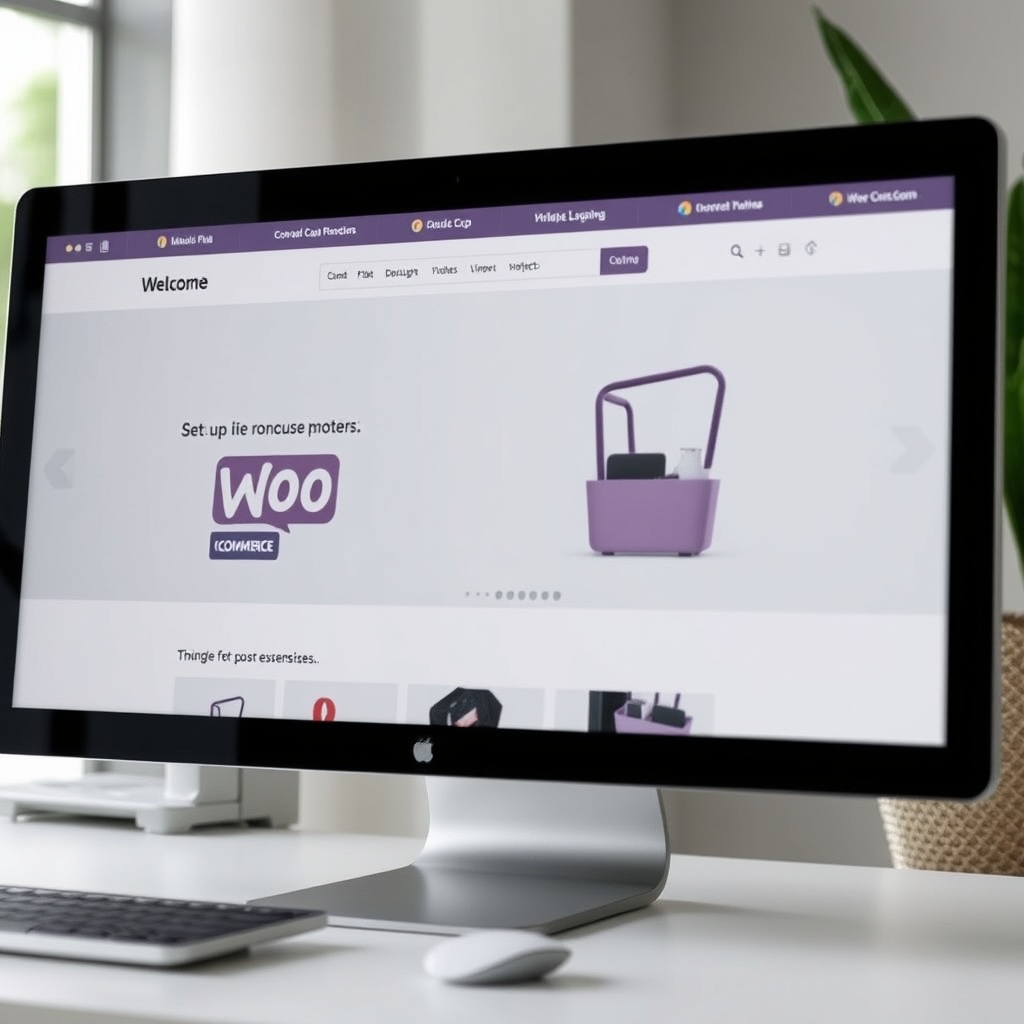
WooCommerce is my go-to for e-commerce solutions. I start with a clean installation, ensuring all settings align with the client’s business model. Customising the checkout process and product pages is key to reducing cart abandonment and boosting conversions.
Designing for Conversion
A well-designed e-commerce site guides users seamlessly from browsing to purchase. I focus on clear calls-to-action, intuitive layouts, and fast load times. High-quality images and trust signals like reviews also play a crucial role in building confidence and driving sales.
Security Considerations
E-commerce sites are prime targets for attacks. I implement SSL certificates, secure payment gateways, and regular backups. Plugins like Sucuri add an extra layer of protection. By prioritising security, I ensure client and customer data remains safe.
Accessibility in WordPress Design
Understanding Web Accessibility
Web accessibility ensures everyone, including those with disabilities, can interact with your site. I prioritise designing for screen readers, keyboard navigation, and colour contrast. Accessibility isn’t just ethical—it’s a legal requirement in many regions. By adhering to WordPress standards, I create inclusive experiences. Tools like WAVE help identify issues early, ensuring no user is left behind.
Accessibility also boosts SEO and usability. Search engines favour accessible sites, and users appreciate intuitive designs. I focus on semantic HTML and ARIA labels to enhance navigation. Whether it’s alt text for images or readable fonts, every detail matters. A well-designed site should be functional for all, not just the majority.
Implementing Accessible Design Practices
I start with a clean, structured layout to avoid overwhelming users. Consistent headings and logical tab orders are key. For forms, I include clear labels and error messages. WordPress themes often need tweaks to meet accessibility standards. Plugins like WP Accessibility simplify this process, but manual checks are irreplaceable.
Colour choices must consider contrast ratios for readability. I avoid relying solely on colour to convey information. Testing with tools like Axe or Lighthouse ensures compliance. Accessibility is an ongoing commitment, not a one-time task. Regular audits and updates keep the site inclusive as standards evolve.
Tools for Accessibility Testing
Automated tools catch many issues, but manual testing is crucial. I use screen readers like NVDA to experience the site as users do. Keyboard navigation tests reveal hidden barriers. Web design tools like Figma now include accessibility plugins for early detection. Combining these methods ensures a robust, user-friendly result.
Collaboration with disabled users provides invaluable feedback. Their insights highlight real-world challenges. I document findings and iterate designs accordingly. Accessibility isn’t a checkbox—it’s a mindset. By embedding it into every project, I create sites that truly serve everyone.
Performance Optimization Techniques
Speed Optimization Basics
Site speed impacts user retention and SEO rankings. I begin with a lightweight theme and minimal plugins. Optimising code and leveraging browser caching reduce load times. Tools like GTmetrix pinpoint bottlenecks. A fast site isn’t just convenient—it’s a competitive edge.
Hosting plays a pivotal role. I recommend WordPress hosting solutions tailored for performance. Compressing images and deferring non-critical scripts further enhance speed. Every second counts, and my goal is to deliver content instantly, regardless of device or connection.
Caching Strategies
Caching stores static versions of pages to reduce server load. I implement plugins like WP Rocket for effortless caching. Server-level solutions, such as Varnish, offer additional speed boosts. Clearing cache regularly prevents outdated content from lingering.
Browser caching instructs visitors’ devices to store resources locally. This reduces repeat downloads and speeds up navigation. I configure expiry headers to balance freshness and performance. A well-cached site feels seamless, even under heavy traffic.
Image Optimization
Images often dominate page weight. I resize and compress files without sacrificing quality. Formats like WebP offer superior compression. Lazy loading ensures images only load when visible. This technique dramatically improves initial load times.
CDNs distribute images globally, reducing latency. I integrate services like Cloudflare for optimal delivery. Alt text and descriptive filenames maintain SEO benefits while keeping files lean. Performance and aesthetics can coexist with careful planning.
Security Best Practices for WordPress Designers
Common Security Threats
WordPress sites face threats like brute force attacks and malware. I stay vigilant against vulnerabilities in themes and plugins. Regular updates and strong passwords are the first line of defence. Hackers target outdated software, so proactive maintenance is non-negotiable.
Phishing and SQL injections exploit weak points. I educate clients on recognising suspicious activity. Security isn’t just technical—it’s about awareness. A compromised site damages trust and functionality, making prevention critical.
Securing WordPress Sites
I install security plugins like Wordfence for real-time protection. Two-factor authentication adds an extra layer of safety. Limiting login attempts deters brute force attacks. Website design must include HTTPS encryption to secure data transfers.
Regular backups are a safety net. I automate backups to remote locations for quick recovery. File permissions and .htaccess tweaks further harden the site. Security is a continuous process, not a one-time setup.
Regular Maintenance Routines
I schedule weekly checks for updates and vulnerabilities. Monitoring tools alert me to unusual activity. Cleaning unused plugins and themes reduces attack surfaces. A well-maintained site is a resilient one.
Client training ensures they can manage basic security tasks. I provide clear documentation and support. Security is a shared responsibility, and collaboration keeps threats at bay.
Working with Clients as a WordPress Designer
Understanding Client Needs
Every project starts with deep listening. I ask targeted questions to uncover goals and pain points. A detailed brief aligns expectations and prevents scope creep. Clients appreciate transparency, so I document every step clearly.
Research into their industry informs design choices. I analyse competitors and target audiences for strategic insights. A tailored approach ensures the site reflects their brand authentically. Collaboration begins with empathy and ends with satisfaction.
Communication Strategies
Clear, frequent updates build trust. I use tools like Trello or Slack to keep clients informed. Visual mockups and prototypes bridge the gap between ideas and execution. Feedback loops refine the design iteratively.
Conflict resolution skills are essential. Misunderstandings happen, but patience and clarity resolve them. I set realistic timelines and manage expectations proactively. Effective communication turns clients into long-term partners.
Delivering Projects on Time
I break projects into milestones with clear deadlines. Agile methodologies adapt to changes without derailing progress. Buffer time accounts for unforeseen challenges. Punctuality reflects professionalism and respect for clients’ goals.
Post-launch support ensures smooth transitions. I provide training and resources for self-sufficiency. A successful project isn’t just delivered—it’s sustained. Timeliness and quality go hand in hand.
Advanced Customisation with CSS and JavaScript
Custom CSS for Unique Designs
Custom CSS allows us to tailor WordPress themes to match a brand’s identity perfectly. By overriding default styles, we can create unique layouts, typography, and colour schemes. This flexibility ensures the design stands out while maintaining consistency across all pages. Whether tweaking margins or adding animations, CSS empowers us to deliver bespoke solutions that align with client visions and industry trends.
For instance, we often use CSS to enhance user experience by improving readability and navigation. Tools like the WordPress Customiser make it easy to preview changes in real-time. This approach ensures our designs are not only visually appealing but also functional. By mastering CSS, we can transform any theme into a one-of-a-kind masterpiece that reflects the client’s unique personality.
Enhancing Interactivity with JavaScript
JavaScript adds dynamic elements to WordPress sites, making them more engaging. From interactive forms to animated sliders, it elevates user interaction. We leverage JavaScript to create seamless transitions and real-time updates without reloading pages. This is particularly useful for e-commerce sites, where a smooth shopping experience can boost conversions and customer satisfaction.
However, we balance functionality with performance. Overloading a site with scripts can slow it down, so we optimise code and use plugins selectively. By integrating JavaScript thoughtfully, we ensure sites remain fast and responsive. This approach aligns with our commitment to delivering high-quality, user-friendly designs that meet modern web standards.
Best Practices for Custom Code
When writing custom code, we prioritise clean, reusable, and well-documented solutions. This ensures future updates are straightforward and reduces the risk of errors. We also test code across browsers and devices to guarantee compatibility. By adhering to best practices, we maintain the integrity of the site while enabling scalability.
Security is another critical consideration. We sanitise inputs and escape outputs to prevent vulnerabilities. Additionally, we use child themes to preserve customisations during theme updates. This proactive approach safeguards the site’s functionality and design, providing clients with peace of mind and a reliable online presence.
The Future of WordPress Design
Emerging Trends in Web Design
The web design landscape is evolving rapidly, with trends like dark mode, micro-interactions, and 3D elements gaining traction. We embrace these innovations to create cutting-edge WordPress sites. For example, dark mode reduces eye strain and enhances aesthetics, while micro-interactions improve user engagement. Staying ahead of trends ensures our designs remain relevant and impactful.
Another trend is the rise of minimalist designs with bold typography and ample white space. This approach emphasises content clarity and load speed. By incorporating these elements, we deliver sleek, modern websites that resonate with audiences. Our focus on trend-driven design ensures clients receive forward-thinking solutions that stand the test of time.
The Impact of AI on WordPress Design
AI is revolutionising WordPress design by automating tasks like layout generation and content optimisation. Tools like AI-powered plugins can suggest design improvements and even create custom themes. We leverage these advancements to streamline workflows and enhance creativity, allowing us to focus on strategic aspects of design.
However, we believe AI complements rather than replaces human expertise. While it handles repetitive tasks, we provide the creative vision and emotional intelligence that machines lack. This synergy enables us to deliver personalised, high-quality designs that meet unique client needs. Embracing AI ensures we remain competitive in an ever-changing industry.
Staying Ahead in the Industry
Continuous learning is key to staying relevant in WordPress design. We regularly update our skills through courses, workshops, and industry events. Networking with peers also provides valuable insights into emerging technologies and best practices. By fostering a culture of innovation, we ensure our team remains at the forefront of design excellence.
Adaptability is another crucial factor. We monitor shifts in user behaviour and technology to refine our strategies. Whether it’s adopting new tools or refining processes, we prioritise growth. This proactive approach allows us to deliver exceptional results and maintain our reputation as leaders in WordPress design.
Building a Portfolio as a WordPress Designer
Showcasing Your Work Effectively
A well-curated portfolio is essential for attracting clients. We highlight diverse projects that demonstrate our range and expertise. Each case study includes before-and-after visuals, challenges faced, and solutions implemented. This transparency builds trust and showcases our problem-solving abilities. A strong portfolio is more than a collection of work—it’s a testament to our skills and creativity.
We also emphasise the results achieved, such as increased traffic or higher conversion rates. Quantifiable outcomes provide tangible proof of our impact. By presenting work in a structured, visually appealing manner, we make it easy for potential clients to see the value we bring. A compelling portfolio is a powerful tool for winning new business.
Leveraging Social Media
Social media platforms like LinkedIn and Instagram are invaluable for promoting our portfolio. We share project highlights, behind-the-scenes insights, and industry tips to engage our audience. Consistent posting keeps us visible and positions us as thought leaders. By interacting with followers, we foster relationships that can lead to collaborations or referrals.
We also use social media to showcase our personality and brand values. Authenticity resonates with clients, making them more likely to choose us. Whether through live Q&As or client testimonials, we create content that highlights our expertise and approachability. Social media is a dynamic extension of our portfolio, amplifying our reach and influence.
Networking and Community Engagement
Active participation in the WordPress community strengthens our reputation and opens doors to new opportunities. We attend meetups, contribute to forums, and collaborate on open-source projects. These interactions not only expand our knowledge but also connect us with potential clients and partners. Networking is a long-term investment that pays dividends in credibility and growth.
Mentoring aspiring designers is another way we give back. Sharing insights and guidance fosters a supportive ecosystem. By nurturing talent, we contribute to the industry’s future while reinforcing our expertise. Community engagement is a cornerstone of our success, helping us build meaningful relationships and a loyal client base.
Frequently Asked Questions
How do I choose the right WordPress theme?
Selecting a theme depends on your site’s purpose, design preferences, and functionality needs. We recommend starting with a lightweight, responsive theme that aligns with your brand. Customisation options and support are also key factors. For more insights, explore our guide on choosing the right web design.
What are the benefits of using WordPress?
WordPress offers flexibility, scalability, and a vast plugin ecosystem. It’s user-friendly and SEO-friendly, making it ideal for businesses of all sizes. For a deeper dive, check out our article on why WordPress is so popular.
How can I improve my site’s loading speed?
Optimising images, leveraging caching, and minimising plugins are effective strategies. We also recommend using a reliable hosting provider. Learn more in our website speed guide.
What’s the future of WordPress design?
AI, dark mode, and minimalist designs are shaping the future. Staying updated with trends and tools is crucial. For the latest insights, read about top design trends.
