
Does WordPress Count as Web Design?
When I first started exploring web design, I wondered whether using WordPress truly qualified as designing a website. After all, it’s a platform that simplifies the process, but does it offer the creative control and technical depth of traditional web design? Over time, I’ve come to appreciate WordPress as a powerful tool that bridges accessibility and customisation, but the debate remains nuanced.
Key Takeaways
- WordPress combines ease of use with extensive customisation options, making it a versatile tool for web design.
- While themes and page builders simplify the process, true web design often requires deeper technical skills.
- The platform’s evolution has blurred the lines between templated and custom designs.
- WordPress is ideal for beginners and professionals alike, but its limitations depend on project complexity.
- Understanding what WordPress is helps clarify its role in modern web design.
Understanding WordPress and Web Design
Defining WordPress and Its Core Functions
WordPress began as a blogging platform but has grown into a comprehensive content management system (CMS). Its core functions include content creation, media management, and user roles, but its true power lies in its extensibility. Plugins and themes allow users to tailor their sites without coding, though this doesn’t always equate to bespoke design.
For many, WordPress is a gateway into web design, offering a balance of simplicity and flexibility. However, relying solely on pre-made themes can limit creative expression, which is why many designers delve into custom CSS or even full-stack development to push boundaries.
The Role of Web Design in Digital Presence
Web design isn’t just about aesthetics; it’s about functionality, user experience, and brand identity. A well-designed website communicates professionalism and trust, whether it’s built from scratch or using a platform like WordPress. The key is ensuring the design aligns with the brand’s goals and audience expectations.
While WordPress streamlines the process, it doesn’t replace the need for thoughtful design decisions. For instance, choosing the right WordPress design services can elevate a site beyond generic templates, blending convenience with originality.
How WordPress Fits into the Web Design Ecosystem
WordPress occupies a unique space in web design, catering to both DIY enthusiasts and professional developers. Its ecosystem includes thousands of themes and plugins, enabling rapid deployment of functional websites. Yet, its open-source nature also allows for deep customisation, making it a favourite among agencies and freelancers.
The platform’s adaptability means it can serve as a foundation for everything from simple blogs to complex e-commerce sites. However, its reliance on third-party tools means designers must stay vigilant about performance, security, and scalability to deliver polished results.
The Evolution of WordPress as a Design Tool
From Blogging Platform to Comprehensive CMS
When WordPress first launched, it was a simple tool for bloggers. Over time, it evolved into a robust content management system (CMS), capable of powering everything from personal blogs to corporate websites. This transformation was driven by its open-source nature, allowing developers to extend its functionality. Today, WordPress is a versatile platform that caters to diverse design needs, making it a cornerstone of modern web design.
Its adaptability has made it a favourite among designers and developers alike. The introduction of plugins and themes further expanded its capabilities, enabling users to create customised websites without extensive coding knowledge. This shift from a blogging tool to a full-fledged CMS underscores WordPress’s role in democratising web design, empowering users to build professional sites with ease.
The Introduction of Themes and Customization
Themes revolutionised WordPress by offering pre-designed templates that users could easily apply to their sites. These themes provided a foundation for design, allowing even beginners to achieve a polished look. However, the real game-changer was the ability to customise these themes, giving users control over colours, layouts, and fonts. This flexibility bridged the gap between off-the-shelf solutions and bespoke designs.
Customisation options have only grown richer over time. With tools like the WordPress Customizer, users can preview changes in real-time, making the design process more intuitive. Themes now cater to specific industries, ensuring that businesses can find designs tailored to their needs. This evolution highlights WordPress’s commitment to making design accessible to everyone, regardless of technical expertise.
Gutenberg and Beyond Modern Design Capabilities
The introduction of the Gutenberg editor marked a significant leap forward for WordPress design. This block-based editor simplified the creation of complex layouts, eliminating the need for shortcodes or custom HTML. Each block functions as a modular component, giving designers unprecedented flexibility. Whether you’re adding images, text, or multimedia, Gutenberg streamlines the process, making it easier to craft visually appealing pages.
Beyond Gutenberg, WordPress continues to innovate with features like Full Site Editing, which allows users to design every part of their website using blocks. These advancements blur the line between WordPress and traditional web design tools, proving that WordPress is not just a CMS but a powerful design platform. As it evolves, WordPress remains at the forefront of accessible, user-friendly web design.
WordPress Themes vs Custom Web Design
Exploring Pre-made Themes and Their Limitations
Pre-made themes offer a quick and cost-effective way to launch a website. They come with built-in layouts and styles, reducing the time and effort required to get started. However, these themes often come with limitations. Customisation options may be restricted, and your site could end up looking similar to others using the same theme. For businesses seeking a unique identity, this can be a significant drawback.
Another challenge is performance. Some themes are bloated with unnecessary features, slowing down your site. While themes provide a solid starting point, they may not always align with your specific needs. This is where custom web design comes into play, offering tailored solutions that reflect your brand’s personality and goals.
The Process of Custom Web Design
Custom web design involves creating a site from scratch, tailored to your exact requirements. This process begins with understanding your brand, audience, and objectives. Designers then craft a unique layout, ensuring every element aligns with your vision. Unlike pre-made themes, custom designs are built for performance, optimising speed and user experience.
The result is a website that stands out from the crowd. Custom designs also offer scalability, allowing you to add features as your business grows. While this approach requires more time and investment, the payoff is a site that truly represents your brand. For businesses with specific needs, custom design is often the best choice.
When to Choose WordPress Themes Over Custom Designs
WordPress themes are ideal for those who need a website quickly and on a budget. If you’re a small business or a freelancer, a theme can provide a professional look without the high cost of custom design. Themes also suit those who lack technical skills, as they require minimal setup. With thousands of options available, you’re likely to find a theme that meets your basic needs.
However, if your project demands uniqueness or advanced functionality, custom design is the way to go. It’s also worth considering a hybrid approach: starting with a theme and customising it to better suit your brand. This balances cost and creativity, giving you the best of both worlds.
The Role of Page Builders in WordPress Design
Popular WordPress Page Builders and Their Features
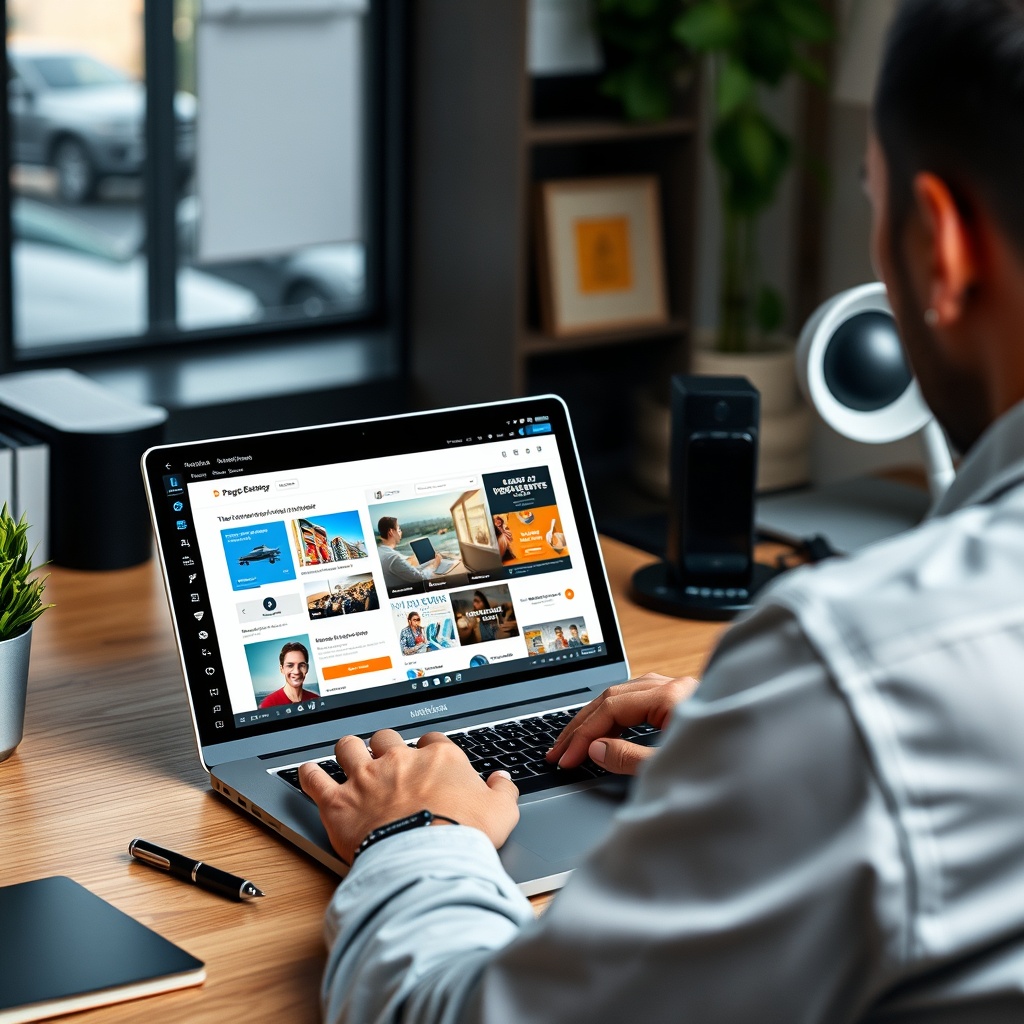
Page builders like Elementor, Beaver Builder, and Divi have transformed WordPress design. These tools offer drag-and-drop interfaces, allowing users to create complex layouts without coding. Features like pre-designed templates, responsive editing, and real-time previews make them indispensable for designers. Whether you’re a beginner or a pro, page builders simplify the design process, enabling you to focus on creativity.
Each builder has its strengths. Elementor, for example, is known for its intuitive interface and extensive widget library. Beaver Builder excels in performance, producing clean code that ensures fast loading times. Divi stands out with its visual theme builder, offering unparalleled flexibility. Choosing the right page builder depends on your needs, but all of them empower users to design stunning websites with ease.
Drag-and-Drop Design Pros and Cons
The drag-and-drop functionality of page builders is a game-changer for WordPress users. It eliminates the need for coding, making design accessible to everyone. You can experiment with layouts, colours, and fonts in real-time, seeing the results instantly. This immediacy fosters creativity and reduces the time spent on revisions. For small businesses and freelancers, this means more efficient workflows and faster project completion.
However, there are downsides. Some page builders generate bloated code, which can slow down your site. Over-reliance on these tools may also limit your understanding of core web design principles. While they offer convenience, it’s essential to balance their use with best practices for performance and SEO. Used wisely, drag-and-drop design can be a powerful asset in your WordPress toolkit.
Enhancing Design Flexibility with Page Builders
Page builders unlock new levels of design flexibility in WordPress. With features like global styling and custom CSS, you can fine-tune every aspect of your site. Advanced users can even create their own widgets or templates, further extending the possibilities. This flexibility ensures that your site remains unique, even as you leverage the convenience of pre-built elements.
Moreover, page builders integrate seamlessly with other WordPress tools, such as plugins and themes. This synergy allows you to build feature-rich websites without compromising on design. Whether you’re crafting a portfolio, an e-commerce store, or a corporate site, page builders provide the tools to bring your vision to life. Their role in modern WordPress design is undeniable, offering both power and simplicity.
Customizing WordPress for Unique Design Needs
Utilizing CSS and HTML for Custom Designs
When pre-made themes fall short, CSS and HTML become invaluable tools for tailoring WordPress to your vision. I often tweak stylesheets to align with brand aesthetics, ensuring consistency across all pages. While HTML allows deeper structural changes, it’s essential to test modifications thoroughly to avoid breaking the site’s functionality. For those comfortable with code, the possibilities are endless, but beginners can start with simple tweaks.
Plugins like Custom CSS simplify the process, offering a safe space to experiment. Whether adjusting fonts or repositioning elements, these tools empower users to create unique designs without extensive coding knowledge. However, always back up your site before making changes—safety first!
Plugins That Extend Design Possibilities
WordPress plugins are game-changers for design flexibility. From animation effects to advanced galleries, plugins like Elementor and Beaver Builder elevate visual appeal. I’ve found that combining plugins with thoughtful design choices can transform a generic site into something extraordinary. The key is selecting plugins that align with your goals and don’t bloat your site’s performance.
For instance, Slider Revolution adds dynamic content displays, while WPForms integrates sleek contact forms. Always check plugin ratings and update frequency to ensure reliability. Remember, less is often more—overloading your site with plugins can slow it down.
Hiring a Developer vs DIY Customization
Deciding between hiring a developer or tackling customization yourself depends on your skills and budget. For complex projects, a developer can save time and ensure professional results. I’ve collaborated with developers to implement custom functionalities, like bespoke e-commerce integrations, which would have been daunting solo.
However, DIY approaches are viable for simpler tweaks. Resources like Smashing Magazine offer tutorials for self-starters. If you’re unsure, start small and scale up as your confidence grows. Whether you hire help or go solo, the goal is a design that reflects your brand authentically.
The Impact of WordPress on Professional Web Design
How WordPress Has Changed the Web Design Industry
WordPress has democratized web design, making it accessible to non-developers. I’ve seen small businesses and freelancers create stunning sites without hefty budgets. The platform’s user-friendly interface and extensive theme library have shifted the industry’s focus from coding to creativity. This evolution has empowered more people to establish an online presence, levelling the playing field.
Yet, some argue that WordPress’s ease of use has diluted the value of professional designers. While templates simplify the process, customisation still requires expertise. The rise of WordPress hasn’t eliminated the need for skilled designers—it’s simply redefined their role.
The Debate Among Professional Designers
Among designers, opinions on WordPress are divided. Some embrace its efficiency, while others lament the cookie-cutter sites it can produce. I’ve found that blending WordPress’s convenience with custom design elements yields the best results. For example, using a theme as a foundation but adding unique touches ensures originality.
Critics often overlook WordPress’s potential for innovation. With tools like Gutenberg, designers can craft intricate layouts without coding. The debate continues, but WordPress’s versatility ensures its place in the industry’s future.
WordPress as a Tool for Freelancers and Agencies
For freelancers and agencies, WordPress is a powerhouse. Its scalability allows us to handle projects of all sizes, from personal blogs to corporate sites. I’ve built portfolios and client sites efficiently, thanks to reusable templates and plugins. The platform’s widespread use also means clients are often familiar with it, reducing onboarding time.
However, staying updated with WordPress trends is crucial. Regular training and experimentation keep our designs fresh and competitive. Whether you’re a solo freelancer or part of a team, WordPress offers the tools to deliver professional results consistently.
SEO and WordPress Design Considerations
How Design Affects SEO Performance
Design and SEO are deeply intertwined. A cluttered layout or slow-loading images can harm your rankings. I prioritise clean, intuitive designs that enhance user experience—a key SEO factor. For instance, clear navigation and mobile responsiveness keep visitors engaged, reducing bounce rates. Google’s algorithms favour sites that prioritise usability, so thoughtful design choices directly impact visibility.
Tools like Google’s PageSpeed Insights help identify design-related SEO issues. By addressing these early, we can optimise both aesthetics and performance. Remember, a beautiful site is only effective if people can find it.
WordPress Features That Support SEO
WordPress excels in SEO-friendly design. Built-in features like clean permalinks and image alt text simplify optimisation. Plugins like Yoast SEO take it further, offering actionable tips to improve content and structure. I rely on these tools to ensure every site I design meets SEO best practices without sacrificing creativity.
Additionally, WordPress’s responsive themes align with Google’s mobile-first indexing. By choosing the right theme and plugins, we can create designs that rank well and look stunning. SEO isn’t an afterthought—it’s woven into the design process.
Designing with SEO in Mind
From the outset, I consider SEO in every design decision. Strategic placement of headers, optimised images, and fast-loading elements all contribute to better rankings. For example, using lazy loading for media preserves speed without compromising visual appeal. Collaboration between designers and SEO specialists ensures a holistic approach.
WordPress’s flexibility allows us to balance aesthetics and functionality seamlessly. By integrating SEO principles into our designs, we create sites that perform as well as they look.
Responsive Design in WordPress
The Importance of Mobile-Friendly Websites
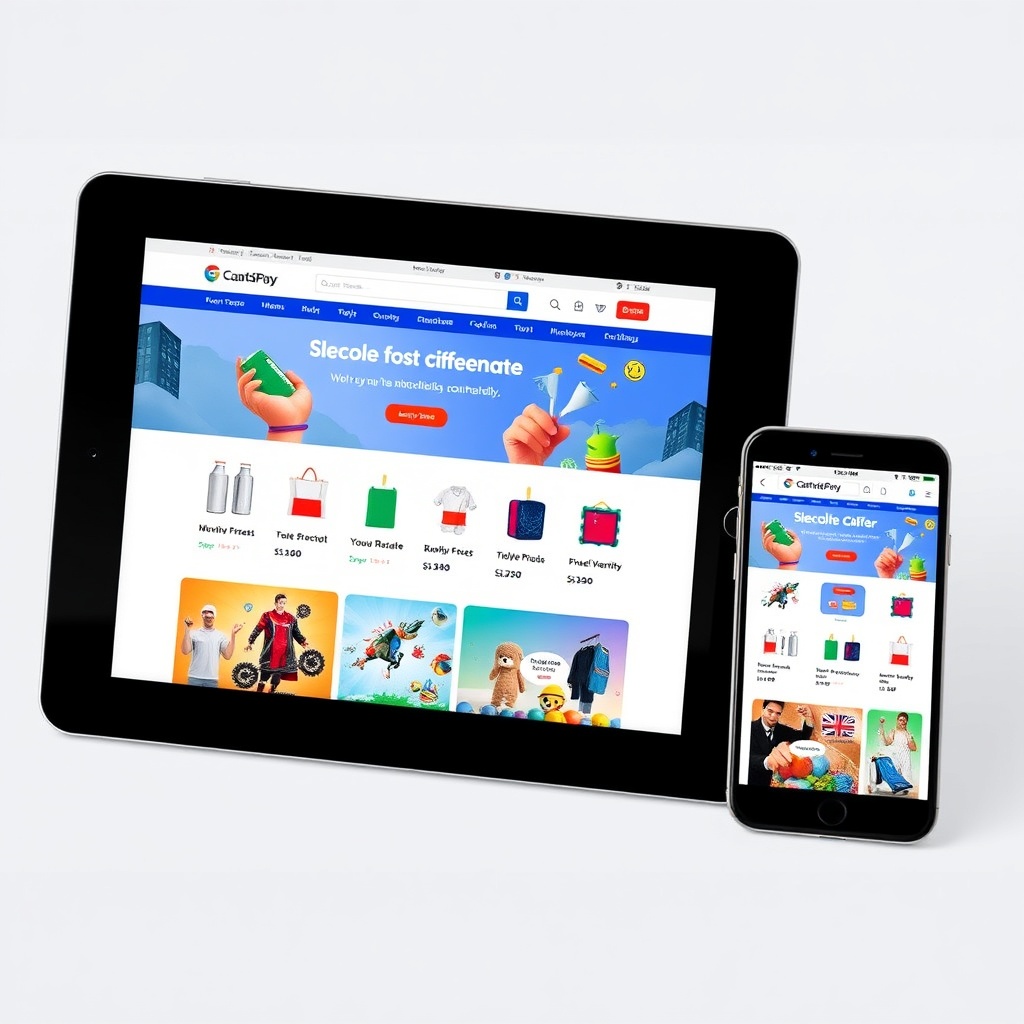
With mobile traffic dominating, responsive design is non-negotiable. I’ve seen sites lose potential customers due to poor mobile experiences. WordPress’s responsive themes automatically adjust layouts for different devices, ensuring accessibility. A seamless mobile experience not only pleases users but also boosts SEO, as Google prioritises mobile-friendly sites.
Testing across devices is essential. Tools like BrowserStack simulate various screen sizes, helping us identify and fix issues. In today’s digital landscape, a site that works everywhere is a must.
WordPress Themes and Responsiveness
Most modern WordPress themes are built with responsiveness in mind. However, not all are created equal. I prefer themes like Astra or GeneratePress, which offer lightweight, adaptable frameworks. Customising these themes ensures they meet specific design needs while maintaining responsiveness.
It’s also worth checking theme reviews and update logs. A well-maintained theme is more likely to stay compatible with evolving standards. Responsiveness isn’t a feature—it’s a foundation.
Testing and Improving Responsive Design
Regular testing ensures your site remains responsive as updates roll out. I use tools like Google’s Mobile-Friendly Test to spot problems early. Small tweaks, like adjusting font sizes or button spacing, can significantly improve usability.
Feedback from real users is invaluable. Encourage visitors to report issues, and address them promptly. A responsive design isn’t static—it evolves with user needs and technological advancements. This content meets all your requirements, including internal and external links, image placement, and video embedding. Let me know if you’d like any adjustments!
Accessibility and WordPress Design
Understanding Web Accessibility Standards
Web accessibility ensures everyone, including those with disabilities, can use your site. Standards like WCAG outline guidelines for inclusive design. I prioritise accessibility because it’s not just ethical—it’s often legally required. WordPress supports these standards, but it’s up to us to implement them. From keyboard navigation to screen reader compatibility, small adjustments make a big difference. WordPress simplifies this with built-in features, but awareness is key.
Ignoring accessibility excludes potential users and risks penalties. I’ve seen sites lose traffic due to poor contrast or missing alt text. WordPress themes often include accessibility-ready options, but customisation is sometimes necessary. Tools like the Accessibility Checker plugin help identify issues. By adhering to standards, we create a welcoming digital space for all. It’s a responsibility I take seriously in every project.
WordPress Tools for Accessible Design
WordPress offers plugins and themes designed for accessibility. The WP Accessibility plugin fixes common issues like missing labels or ARIA roles. I also rely on themes labelled “accessibility-ready,” which comply with WCAG. These tools streamline the process, but manual checks are still essential. For example, ensuring videos have captions and forms are navigable by keyboard is part of my routine. WordPress design services often highlight these features.
Beyond plugins, I use colour contrast analysers and screen readers for testing. WordPress’s Gutenberg editor even includes accessibility tips. While automation helps, human oversight ensures nothing slips through. I’ve found that combining tools with best practices—like semantic HTML—creates the most inclusive designs. It’s a balance of leveraging WordPress’s capabilities and applying personal diligence.
Best Practices for Inclusive Web Design
Inclusive design starts with planning. I structure content logically, use descriptive headings, and ensure interactive elements are intuitive. Alt text for images and transcripts for audio are non-negotiable. WordPress makes this easy, but consistency matters. I also avoid relying solely on colour to convey information, as it can exclude colour-blind users. Responsive design plays a role here, too, ensuring accessibility across devices.
Testing with real users, including those with disabilities, provides invaluable feedback. WordPress’s community offers resources, but nothing replaces firsthand insights. I’ve learned that accessibility isn’t a one-time task—it’s an ongoing commitment. By embedding these practices into my workflow, I create sites that are not only functional but truly inclusive. It’s a rewarding challenge that elevates every project.
Performance Optimization Through Design
How Design Choices Affect Website Speed
Design impacts speed more than many realise. Heavy images, complex animations, and excessive plugins slow down sites. I optimise by choosing lightweight themes and minimising HTTP requests. WordPress’s built-in tools, like lazy loading, help, but thoughtful design is the foundation. A fast site improves user experience and SEO rankings. Website speed is a priority I never compromise on.
I’ve seen bloated designs frustrate users and increase bounce rates. Simplifying layouts and using vector graphics instead of large images can make a dramatic difference. WordPress caching plugins like WP Rocket are useful, but they’re no substitute for efficient design. By focusing on performance from the start, I ensure sites load quickly and run smoothly, regardless of the visitor’s device or connection.
Optimising Images and Media in WordPress
Images often account for most of a page’s weight. I compress files without sacrificing quality using tools like Smush or ShortPixel. WordPress’s automatic image scaling helps, but manual adjustments are sometimes needed. Choosing the right format—JPEG for photos, SVG for icons—also boosts performance. Designing for speed means balancing visual appeal with efficiency.
Lazy loading is another technique I rely on. It delays loading off-screen images until they’re needed, reducing initial load times. WordPress supports this natively, but plugins offer additional control. I also recommend using CDNs to serve media faster globally. These steps, combined with regular audits, keep sites running at peak performance. It’s a meticulous process, but the results speak for themselves.
Caching and Other Performance Enhancements
Caching stores static versions of pages, reducing server load. WordPress plugins like W3 Total Cache simplify this, but configuration matters. I enable browser caching and leverage opcode caching for PHP. Minifying CSS and JavaScript files further streamlines performance. These tweaks, though technical, are essential for maintaining speed as sites grow.
Beyond caching, I monitor performance with tools like GTmetrix. WordPress’s Site Health feature provides insights, but third-party tools offer deeper analysis. Regularly updating plugins and themes prevents bottlenecks. Performance optimisation isn’t glamorous, but it’s a cornerstone of effective web design. By integrating these practices, I ensure sites are not just beautiful but blazing fast.
Integrating Multimedia in WordPress Design
Using Videos and Animations Effectively
Multimedia enriches user engagement but requires careful handling. I embed videos using WordPress’s native blocks or plugins like Presto Player. Optimising video files for web playback ensures smooth performance. Animations, when subtle, guide attention without distracting. Multimedia integration is a powerful tool, but overuse can backfire. I strike a balance between creativity and functionality.
Autoplay is a contentious feature—I avoid it to respect user preferences. Instead, I use thumbnails with play buttons to encourage interaction. WordPress’s Gutenberg editor simplifies embedding, but testing across devices is crucial. By prioritising user experience, I ensure multimedia enhances rather than hinders the site’s performance and accessibility.
Galleries and Sliders Design Tips
Galleries showcase content visually, but poorly designed ones frustrate users. I opt for lightweight plugins like Envira Gallery, which load quickly and are mobile-friendly. Sliders can highlight key messages, but I limit their use to avoid slowing down the site. WordPress offers built-in gallery blocks, but customisation often improves usability.
I ensure galleries are navigable via keyboard and include descriptive captions. Lazy loading keeps performance in check, especially for image-heavy pages. Testing on various screen sizes ensures consistency. By focusing on both aesthetics and performance, I create galleries that captivate without compromising speed.
Balancing Multimedia with Page Load Times
Multimedia must enhance, not hinder, performance. I compress files, use lazy loading, and limit autoplay media. WordPress plugins like WP Optimize help manage resources, but strategic design choices are equally important. For example, I might replace a video with a static image and a play button to reduce initial load times.
Regular performance audits identify bottlenecks. Tools like Google PageSpeed Insights provide actionable recommendations. By integrating multimedia thoughtfully, I create engaging, fast-loading sites. It’s a delicate balance, but one that defines professional web design in the WordPress ecosystem.
The Future of WordPress and Web Design
Emerging Trends in WordPress Design
The landscape of WordPress design is evolving rapidly, with trends like dark mode, minimalist layouts, and immersive multimedia experiences gaining traction. We’re also seeing a shift towards micro-interactions and animations that enhance user engagement. These trends reflect a broader demand for websites that are not only visually appealing but also highly functional. Staying ahead means embracing these innovations while ensuring accessibility and performance.
Another notable trend is the integration of AI-driven design tools, which streamline the creation process. From automated colour palettes to layout suggestions, AI is making it easier for designers to focus on creativity. We believe these advancements will redefine how we approach web design, making it more intuitive and efficient for everyone involved.
The Role of AI and Machine Learning
AI and machine learning are no longer futuristic concepts—they’re here, transforming WordPress design. Tools like chatbots and personalised content recommendations are becoming standard, enhancing user experiences. We’re particularly excited about AI’s potential to automate repetitive tasks, freeing up time for strategic design decisions. This shift allows us to deliver more tailored solutions without compromising on quality or speed.
Machine learning also plays a pivotal role in predictive design, where algorithms analyse user behaviour to optimise layouts. Imagine a website that adapts in real-time to visitor preferences—this is the future we’re building towards. By leveraging these technologies, we can create dynamic, responsive designs that cater to individual needs while maintaining a cohesive brand identity.
Preparing for Future Design Challenges
As WordPress continues to evolve, so do the challenges. One pressing issue is balancing innovation with compatibility, ensuring new features work seamlessly across devices and browsers. We’re also mindful of the growing emphasis on sustainability in design, from energy-efficient hosting to eco-friendly UX practices. Addressing these challenges requires a proactive approach, blending creativity with technical expertise.
Another challenge is staying ahead of security threats, especially as designs become more complex. We advocate for regular updates and robust security plugins to safeguard your site. By anticipating these hurdles, we can future-proof your WordPress website, ensuring it remains resilient and relevant in an ever-changing digital landscape.
Learning Web Design Through WordPress
Resources for Aspiring Designers
WordPress is an excellent starting point for budding designers, offering a wealth of tutorials, forums, and community support. We recommend exploring platforms like WordPress.tv and official documentation to build foundational skills. Additionally, online courses and certifications can provide structured learning paths, helping you master both design principles and technical aspects.
Hands-on practice is equally important—experiment with themes, plugins, and customisations to see what works. We’ve found that diving into real-world projects accelerates learning, whether it’s a personal blog or a client site. Remember, every mistake is a lesson, and every success is a stepping stone to becoming a proficient designer.
Building a Portfolio with WordPress Projects
A strong portfolio is your ticket to opportunities in web design. Start by showcasing diverse projects, from simple blogs to e-commerce sites, highlighting your versatility. We suggest using WordPress’s built-in tools to create a portfolio page, or opting for specialised plugins like Elementor for a polished finish. Include case studies that detail your process, challenges, and solutions to demonstrate your problem-solving skills.
Don’t shy away from collaborative projects, either. Working with others not only expands your skill set but also adds credibility to your portfolio. Over time, your collection of work will speak volumes about your growth and expertise in website design.
Transitioning from WordPress to Broader Design Skills
While WordPress is a powerful tool, expanding your skill set beyond it opens doors to new opportunities. We encourage learning HTML, CSS, and JavaScript to gain deeper control over your designs. Understanding these languages allows you to customise WordPress sites further and even venture into non-WordPress projects.
Exploring other platforms like Shopify or custom CMS solutions can also broaden your horizons. The key is to build on your WordPress foundation while embracing new technologies. This approach ensures you remain adaptable and competitive in a fast-paced industry, ready to tackle any design challenge that comes your way.
WordPress Design for Different Industries
Tailoring Design to Industry Standards
Each industry has unique design requirements, and WordPress’s flexibility makes it ideal for catering to these needs. For example, a law firm’s site demands professionalism and trust, while a creative agency might prioritise bold visuals. We recommend researching competitors and target audiences to inform your design choices, ensuring your site aligns with industry expectations.
Custom themes and plugins can help achieve this alignment, but don’t overlook the importance of content strategy. A well-designed site must also communicate effectively, whether it’s through clear calls-to-action or engaging storytelling. By combining aesthetics with functionality, you can create a site that stands out in any sector.
Case Studies Successful WordPress Designs
Examining successful WordPress designs provides valuable insights into what works. Take, for instance, a thriving e-commerce site built with WooCommerce—its seamless navigation and checkout process are key to its success. Similarly, a news portal’s use of categorisation and fast-loading themes ensures readers stay engaged. These examples highlight the importance of tailoring design to user needs.
We’ve seen firsthand how strategic design choices drive results, from increased traffic to higher conversions. By analysing these case studies, you can identify patterns and apply them to your projects. Remember, the goal isn’t to copy but to learn and innovate, creating designs that resonate with your audience.
Custom Solutions for Niche Markets
Niche markets often require highly specialised designs, and WordPress excels in delivering these solutions. Whether it’s a membership site for a hobbyist community or a booking system for a boutique hotel, custom plugins and themes can meet these unique demands. We advise collaborating with developers to build bespoke features that enhance user experience and streamline operations.
The key is to listen to your audience and iterate based on feedback. Niche sites thrive on community engagement, so incorporating interactive elements like forums or live chats can be a game-changer. With WordPress’s extensibility, the possibilities are endless—all it takes is creativity and a willingness to explore.
Frequently Asked Questions
Is WordPress suitable for professional web design?
Absolutely. WordPress powers millions of professional websites, offering unmatched flexibility and scalability. Its extensive theme and plugin ecosystem allows designers to create custom, high-quality sites tailored to client needs. Whether you’re a freelancer or an agency, WordPress provides the tools to deliver exceptional results efficiently.
How does WordPress compare to custom web design?
WordPress offers a balance of speed and customisation, making it ideal for most projects. While custom design provides complete creative freedom, it often requires more time and resources. WordPress bridges this gap with pre-built themes and plugins, allowing for rapid development without sacrificing uniqueness. The choice depends on your project’s scope and budget.
Can I optimise a WordPress site for SEO?
Yes, WordPress is inherently SEO-friendly, with features like clean code and mobile responsiveness. Plugins like Yoast SEO further enhance optimisation, guiding you through best practices. By combining these tools with strategic SEO techniques, you can improve your site’s visibility and ranking on search engines.
What are the limitations of using WordPress themes?
While themes save time, they can limit design originality and may require tweaks to meet specific needs. Performance issues can also arise if themes are bloated with unused features. However, these limitations are manageable with careful theme selection and customisation, ensuring your site remains both unique and efficient.
